Wallpapers Eureka Seven AO Edition1.5
Publisher Description
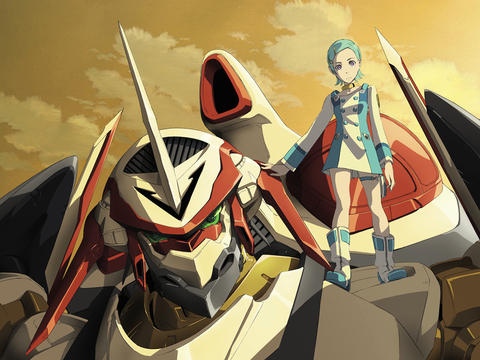
Get ready to experience the wonderful manga wallpapers album of Eureka Seven AO in this app!!
Enjoy a great number of High Quality & Retina Display Eureka Seven AO wallpapers & backgrounds.
Such Cool wallpapers collection! All Eureka Seven AO Fans, it deserve to own!
>>>>>>>>>>>>>>>>>>>>>>>>>>>>>>>>
Descriptions:
+App include a huge number of anime wallpapers for Eureka Seven AO;
+Find latest Eureka Seven AO wallpapers & backgrounds;
+All wallpaper with HD & support Retina screen;
+NO ADS!
+Very Fast speed;
+Easy to save your pleased one as own wallpapers and backgrounds;
+Share nice wallpapers with friends through Facebook or Twitter or Email.
Own your favourite characters wallpapers of Eureka Seven AO, such as: Fukai Ao; Arata Naru; Blanc, Fleur and many more Cool wallpapers for you.
Hope you enjoy all of them.
Requires iOS 3.2 or later. Compatible with iPad.
About Wallpapers Eureka Seven AO Edition
The company that develops Wallpapers Eureka Seven AO Edition is Yulu FAN. The latest version released by its developer is 1.5.
To install Wallpapers Eureka Seven AO Edition on your iOS device, just click the green Continue To App button above to start the installation process. The app is listed on our website since 2012-12-13 and was downloaded 7 times. We have already checked if the download link is safe, however for your own protection we recommend that you scan the downloaded app with your antivirus. Your antivirus may detect the Wallpapers Eureka Seven AO Edition as malware if the download link is broken.
How to install Wallpapers Eureka Seven AO Edition on your iOS device:
- Click on the Continue To App button on our website. This will redirect you to the App Store.
- Once the Wallpapers Eureka Seven AO Edition is shown in the iTunes listing of your iOS device, you can start its download and installation. Tap on the GET button to the right of the app to start downloading it.
- If you are not logged-in the iOS appstore app, you'll be prompted for your your Apple ID and/or password.
- After Wallpapers Eureka Seven AO Edition is downloaded, you'll see an INSTALL button to the right. Tap on it to start the actual installation of the iOS app.
- Once installation is finished you can tap on the OPEN button to start it. Its icon will also be added to your device home screen.
